 CAD
 USD

C2020 Digital Compliance Management

Building compliance software
C2020 Building Compliance Software
C2020 (also written C20/20) is building compliance management software that helps property teams complete scheduled inspections, track deficiencies and keep digital inspection records. It runs on a web-enabled phone, tablet or computer, with visibility for managers across one building or an entire portfolio. C2020 is developed by Commercial Fire and Safety and is available across Canada and the United States, including Ontario, Quebec, Atlantic Canada and New York; Safety Media provides on-site implementation and training across the GTA and north to Barrie, west to London and east to Ottawa.
Property managers · Building staff · Service providers
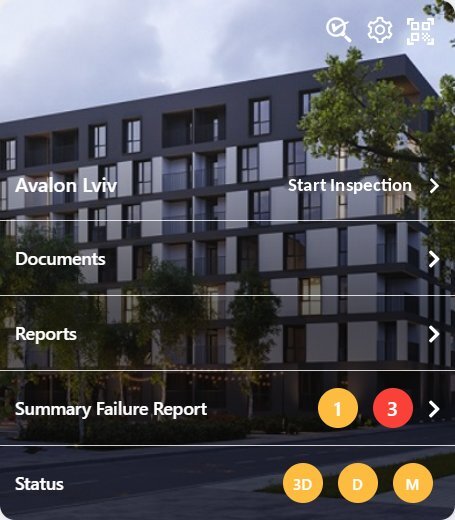
Complete the Inspections
Bring scheduled inspections and building procedures into one consistent process.
Follow Up on Issues
Keep deficiencies visible and record progress toward resolution.
Keep Records Accessible
Review inspection history and share reports with the people who need them.
Optimized for your building(s)
One Platform for Everyday Inspections
Use C2020 for the recurring inspections your building already depends on, from fire and life safety to workplace inspections, maintenance and security patrols.
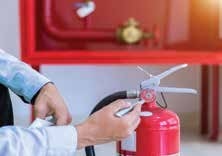
Fire & Life Safety
Organize inspections for extinguishers, fire doors, emergency lighting and other building systems.
Building & Workplace Inspections
Record equipment readings and inspect exits, lighting, cleanliness and slip or trip hazards.
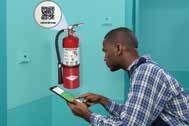
Maintenance & Security
Organize mechanical inspections and security patrols around your building and organizational requirements.
Inspections connected to requirements
Examples of Inspections C2020 Can Support
These are some of the Ontario requirements and inspections C2020 can support. Select a topic for examples and references. Your program is set up for your building(s), equipment and team responsibilities.
Fire & life safety
Building, workplace & security
Mechanical systems
Records & follow-up
From setup to follow-up
A Simple Process for Your Team
Set Up
Define equipment, inspection cycles, procedures and user access.
Scan & Record
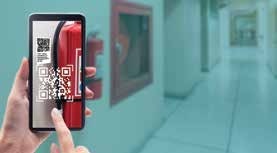
Scan equipment tags and record results during the inspection.
Review & Resolve
Monitor completion, follow up on deficiencies and access automated or on-demand reports.

Audit reporting & inspection history
Prepare for Audits With Clear Records
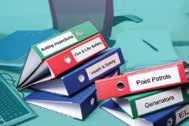
Bring inspection history, outstanding deficiencies and supporting documents together for internal audits, management reviews and regulatory inspections, instead of searching through paper binders.
Trace the Work
Review who recorded an inspection, when it was recorded and the result.
Find Gaps
Review inspection status, incomplete work and unresolved deficiencies.
Show Follow-Through
Connect recorded repairs and corrective actions with the issues identified.
Share Supporting Records
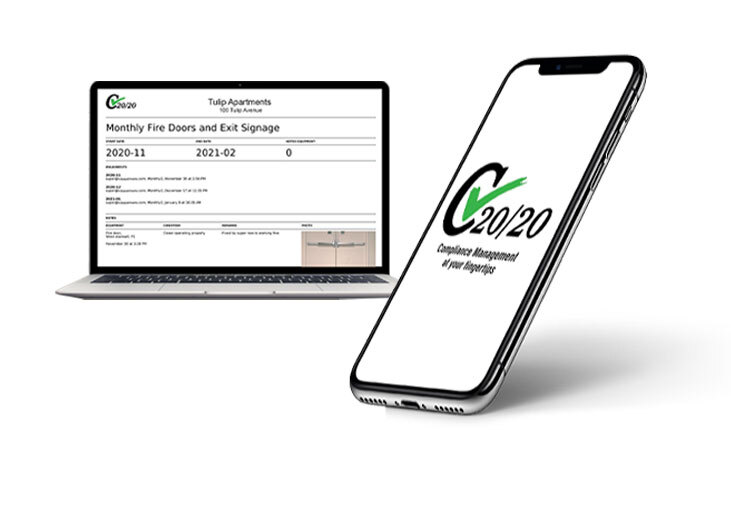
Access historical reports and documents, include photos where enabled, and share PDF reports.
Audit and portfolio reporting options are confirmed with your selected package.
Frequently asked questions
Using C2020 in Your Buildings
What is your experience?
To date, we have implemented C2020 in high-rise multi-residential buildings, co-op housing, large office complexes and industrial facilities. Our clients have completed millions of inspections.
What is C2020?
C2020 (also written C20/20) is building compliance management software. Property teams use it to complete scheduled inspections, track deficiencies and keep digital inspection records on a web-enabled phone, tablet or computer.
Who develops C2020, and what does Safety Media provide?
C2020 is developed by Commercial Fire and Safety. Safety Media helps optimize and implement the platform for your building(s), with setup and training included in the agreed scope.
Where is C2020 available?
The C2020 software and Safety Media’s implementation support are available across Canada and the United States, including Ontario, Quebec, Atlantic Canada and New York. On-site implementation and training are available across Toronto and the regions of Peel, Halton, York and Durham, and along the corridor north to Barrie, west to London and east to Ottawa. Locations beyond this area are considered individually by quotation.
Can C2020 manage multiple buildings?
Yes. Multi-building options provide organizational reporting and user access suited to different responsibilities.
Do staff need special devices?
C2020 works on web-enabled phones, tablets and computers. We confirm equipment-tag scanning and device requirements during setup.
Can inspections follow our own procedures?
Yes. Inspection schedules, checklists and supporting procedures can be tailored to your building and corporate requirements.
Are electronic inspection records accepted under the Ontario Fire Code?
The Ontario Fire Code (1.1.2.1.-1.1.2.2.) recognizes electronic records when they are readily available to the Chief Fire Official. Retention varies: the general rule includes at least two years and the two most recent records, and specified records have different requirements.
What has been the reaction of the Authority Having Jurisdiction?
We have received only positive feedback from the various inspections carried out. Inspections can be updated across your organization instantly to meet new and changing requirements. Electronic records are now recognized and legally admissible as evidence across Canada.
Can we download or share reports?
Yes. PDF reports can be shared, and inspection records remain accessible for review. Reporting options depend on your selected package.
Does C2020 replace inspections or equipment servicing?
Inspections, testing and repairs still need to be completed by the appropriate people. C2020 helps organize and document that work.
How is C2020 priced and implemented?
Pricing depends on building count, equipment, users and features. Safety Media can quote the software, setup and training for your needs.
See C2020 in action
Bring Your Inspection Process Together
Tell us about your buildings, inspection routines and current recordkeeping. We will discuss a suitable setup and arrange a demonstration.
Related services